- Preparation
- Operating Systems:
- Programming Languages: JAVA
- Important Documents:
- How to Build Your Own Controller (Eclipse - 32bits windows7 / Helios sr2 , JAVA)
- Step1) Install
- Download eclipse from http://eclipse.org
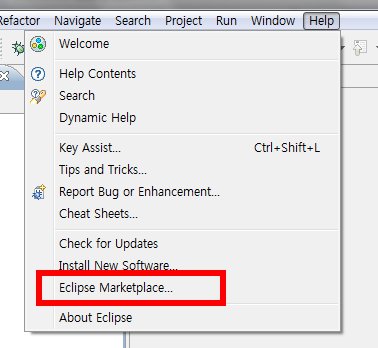
- Please choose eclipse marketplace and find subclipse for SVN
- [File] → [New] → [Other] → [SVN]
- Choose 'Checkout projects from SVN' and Press “Next”
- Enter [http://marioai.googlecode.com/svn/trunk] as a repository
- Once again, press [http://marioai.googlecode.com/trunk] and “Next”
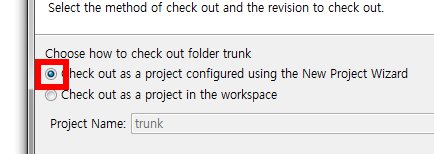
- Choose 'Check out as a project configured using the New Project Wizard' and Finish
- [Java] → [Java Project] and “Next”
- Project Name as 'MarioAI'
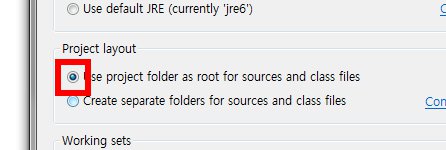
- Choose 'Use project folder as root for sources and class files' and “Next”
- In the next window, press 'Configure inclusion and exclusion filters' in 'Details'
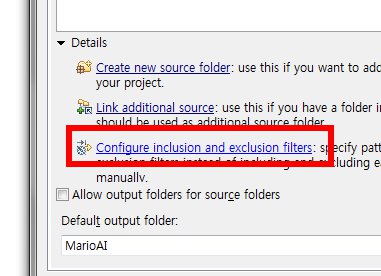
- In 'Inclusion' Window, press 'Add' and enter [“.lvl” “.dat”] and finish
- Finish
- Step 2) Configuration and Build
- In the Project Tree Structure, Choose SRC folder and [right mouse button click] → [Build Path] → [Use as source folder] → [OK]
- [Project] → [Build All]
- Step 3) Execution
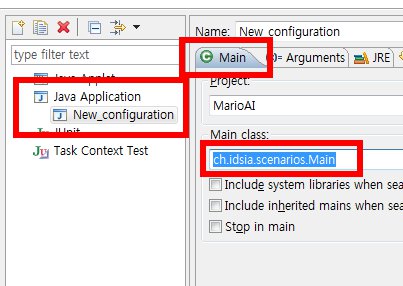
- [Run] → [Run Configurations]
- [Java Application] → [New Launch Configuration]
- Choose 'Main' Tab → 'Main class' → Enter 'ch.idsia.scenarios.Main'
- Press 'Run'
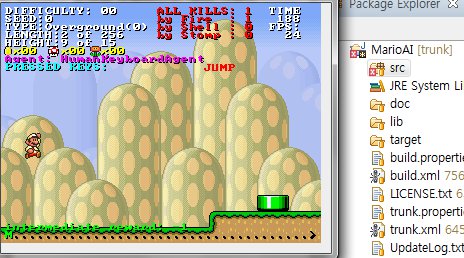
- Step 4) AI Execution
- [Run] → [Run Configurations]
- Choose 'Arguments' Tab, Enter 'Program arguments' as '-ag ch.idsia.agents.controllers.ForwardJumpingAgent'
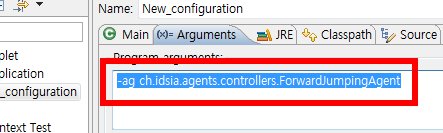
- Press 'Run'


